
How Token Creators Can Prepare for the 2026 Solana Price Cycle
Published: April 29, 2025, Author: MakeYourCoin
Adding liquidity to your cryptocurrency token is a critical step to ensure its tradability and stability on decentralized exchanges (DEXs). The MakeYourCoin app simplifies the process of creating and managing tokens on blockchains like Solana and Ethereum. This guide provides a step-by-step walkthrough on how to add liquidity to your token using the MakeYourCoin app, ensuring your token is ready for trading.
Liquidity refers to the ability to buy or sell a token without significantly affecting its market price. By adding liquidity to a pool on a DEX, you enable seamless trading, reduce price volatility, and enhance investor confidence. Insufficient liquidity can lead to high slippage, bot attacks, or price instability, which can harm your token's reputation.
The MakeYourCoin app integrates with DEXs to make this process accessible, even for users with limited technical expertise.
Launch the MakeYourCoin app on your mobile device or access it via the web interface. Ensure your wallet is connected for the best experience.
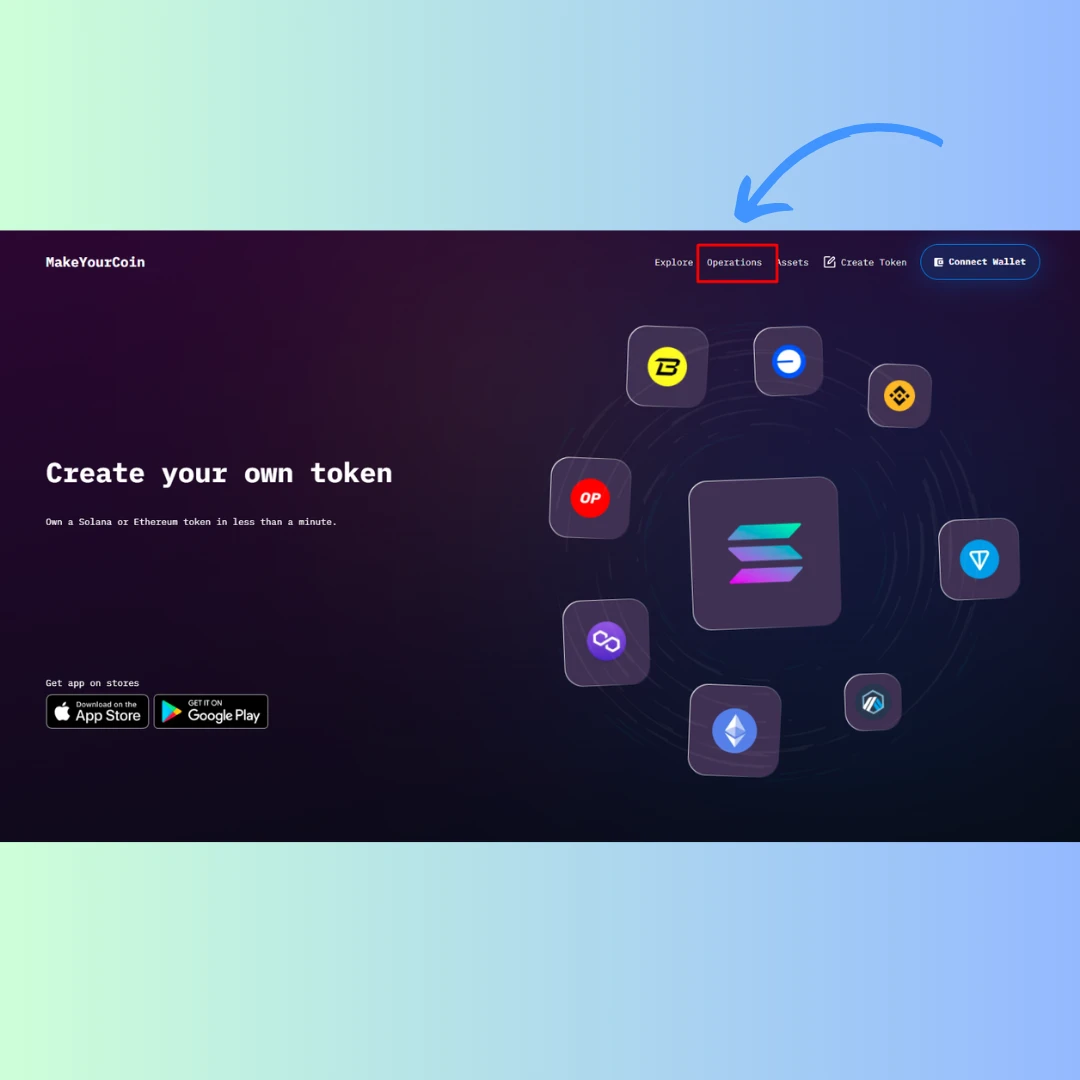
Once logged in, go to the Solana Manager section (for Solana-based tokens) which is visible on the main screen on Android or iOS versions of the app. If you’re using MakeYourCoin token creator features on web, you’ll see the Operations button on the top left menu.
Choose the network - Solana or Solana Devnet, then add the liquidity pool address (AMM ID). Next, input the amount of your token and the base token you want to add to the pool.
The MakeYourCoin app typically auto-balances the amounts to match the current pool ratio, minimizing arbitrage risks. A general recommendation is to allocate 40–70% of your token supply to the pool, reserving the rest for incentives, airdrops, or staking.
Tip: Higher liquidity reduces slippage and bot sniping. For Solana, aim for at least 10–50 SOL for meme coins or 100–500 SOL for serious projects.
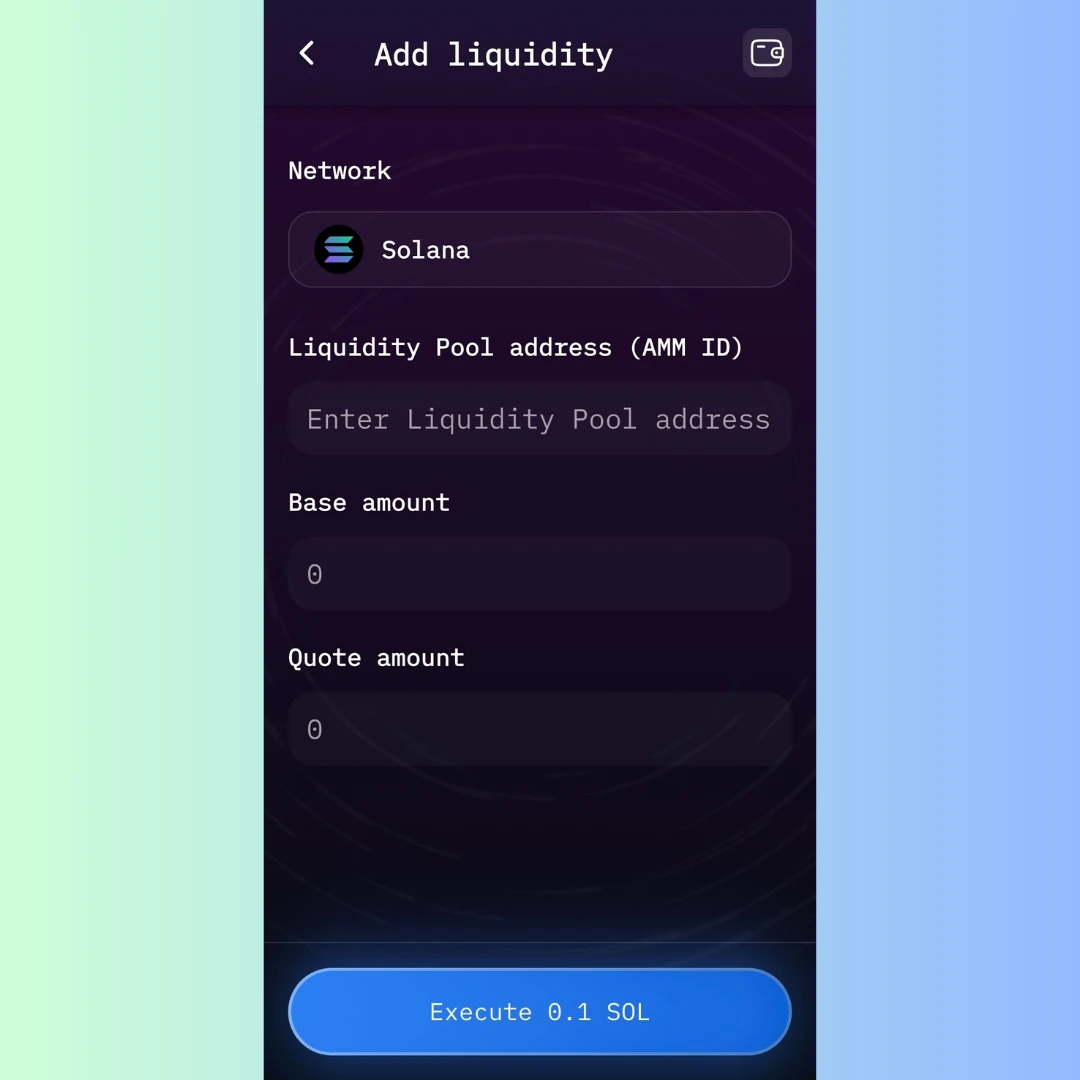
Ensure you have enough of your token in your wallet to contribute to the liquidity pool. The MakeYourCoin app suggests a default fee tier - only 0.1 SOL for executing the liquidity feature.
After making sure your information is double-checked, click Execute to add liquidity to your Solana token. Your wallet will prompt you to approve the transaction.
After the transaction is confirmed on the blockchain, the MakeYourCoin app will notify you that the liquidity pool has been created or liquidity has been added. You’ll receive LP (Liquidity Provider) tokens representing your share of the pool. These tokens can be staked or held to earn trading fees.
Adding liquidity to your token using the MakeYourCoin app is a straightforward process that empowers you to make your token tradable on major DEXs. By following the steps outlined above, you can create a stable and attractive trading environment for your token. Always plan your liquidity strategy carefully, balancing the amount of tokens allocated to the pool with reserves for future growth.
With the MakeYourCoin app’s user-friendly interface, even beginners can successfully launch and manage their token’s liquidity.
For further details on token creation or management, visit the MakeYourCoin website: http://makeyourcoin.com/