Have you ever looked at the world of crypto and thought, "I wish I could create my own coin?" It might sound like a daunting task, something reserved for tech wizards, but guess what? It's becoming surprisingly accessible, especially with platforms like MakeYourCoin. Today, we're going to walk through how you can create your very own ERC20 token, step by step, using this awesome app.
First Things First: What's an ERC20 Token Anyway?
Before we dive into the "how-to," let's quickly chat about what ERC20 tokens are. Think of them as the standard building blocks of the Ethereum blockchain. ERC20 is basically a set of rules that ensure all tokens created under this standard are interchangeable and identical—kind of like how every dollar bill is worth, well, a dollar!
These tokens can represent just about anything: loyalty points for your favorite store, in-game currency for a cool new game, or even a share in a company. The best part? Being ERC20 compliant means your token can easily play nice with the entire Ethereum ecosystem, including wallets, exchanges, and all those exciting decentralized apps (dApps).
Why MakeYourCoin? Because Easy is Good!
Now, why choose MakeYourCoin? Simply put, it's designed to make token creation accessible to everyone, no matter your tech skills. It's like having a friendly guide that takes care of all the complicated coding stuff for you. While knowing the ins and outs of blockchain is always a plus, MakeYourCoin lets you jump right in and create your token without writing a single line of code. Pretty neat, right?
Let's Get Started: Creating Your ERC20 Token on MakeYourCoin
- Download the App: First things first, grab the MakeYourCoin app. You can find it on the Google Play Store or the Apple App Store.
Once installed, open it up and take a look around!
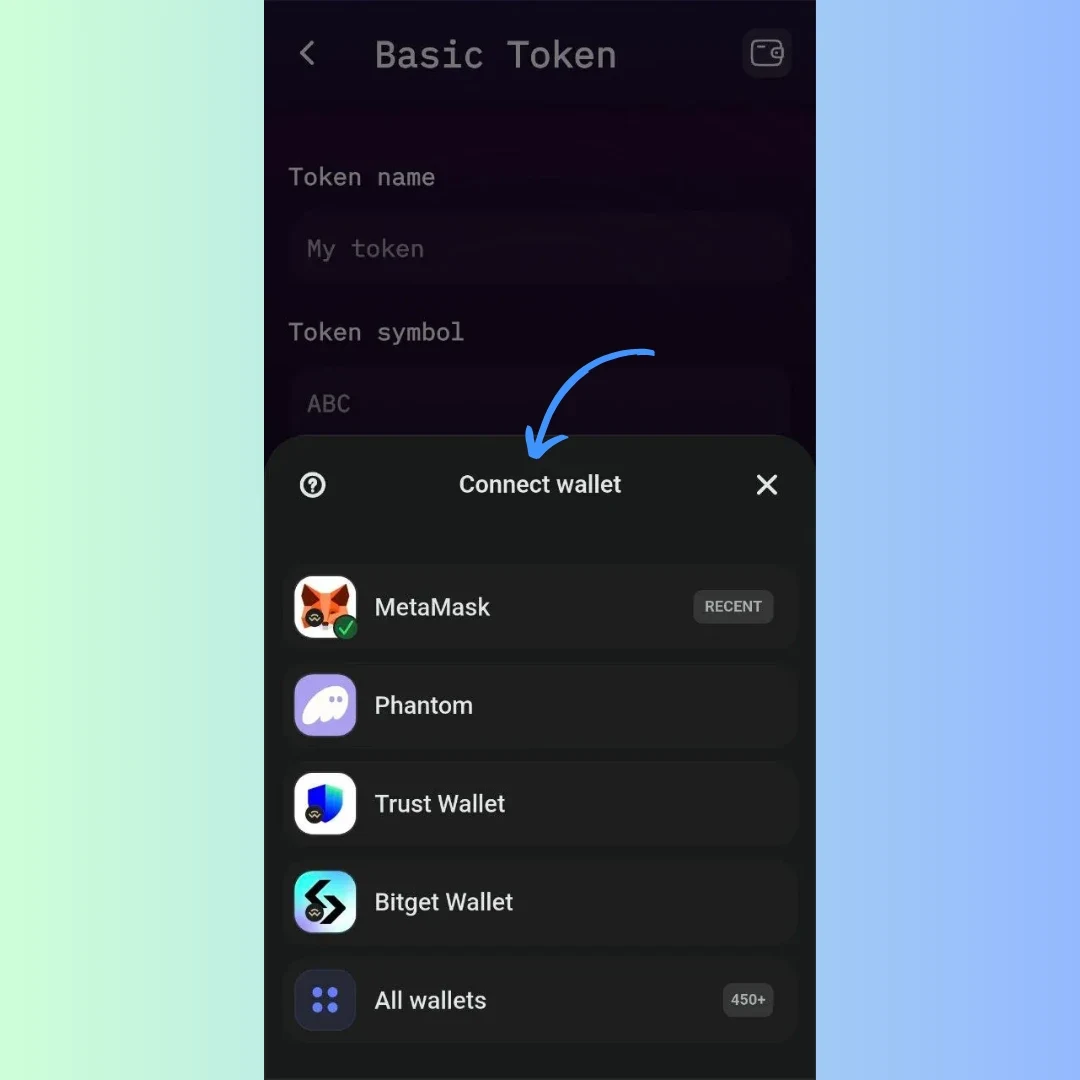
- Connect Your Wallet: You'll need a Web3 wallet, like MetaMask, Phantom, Trust Wallet, or Bidget Wallet (MakeYourCoin supports over 450 wallet connections!). This is where your tokens will live and how you'll pay for the transaction fees (gas). Connect your chosen wallet to the MakeYourCoin app. This is essential!
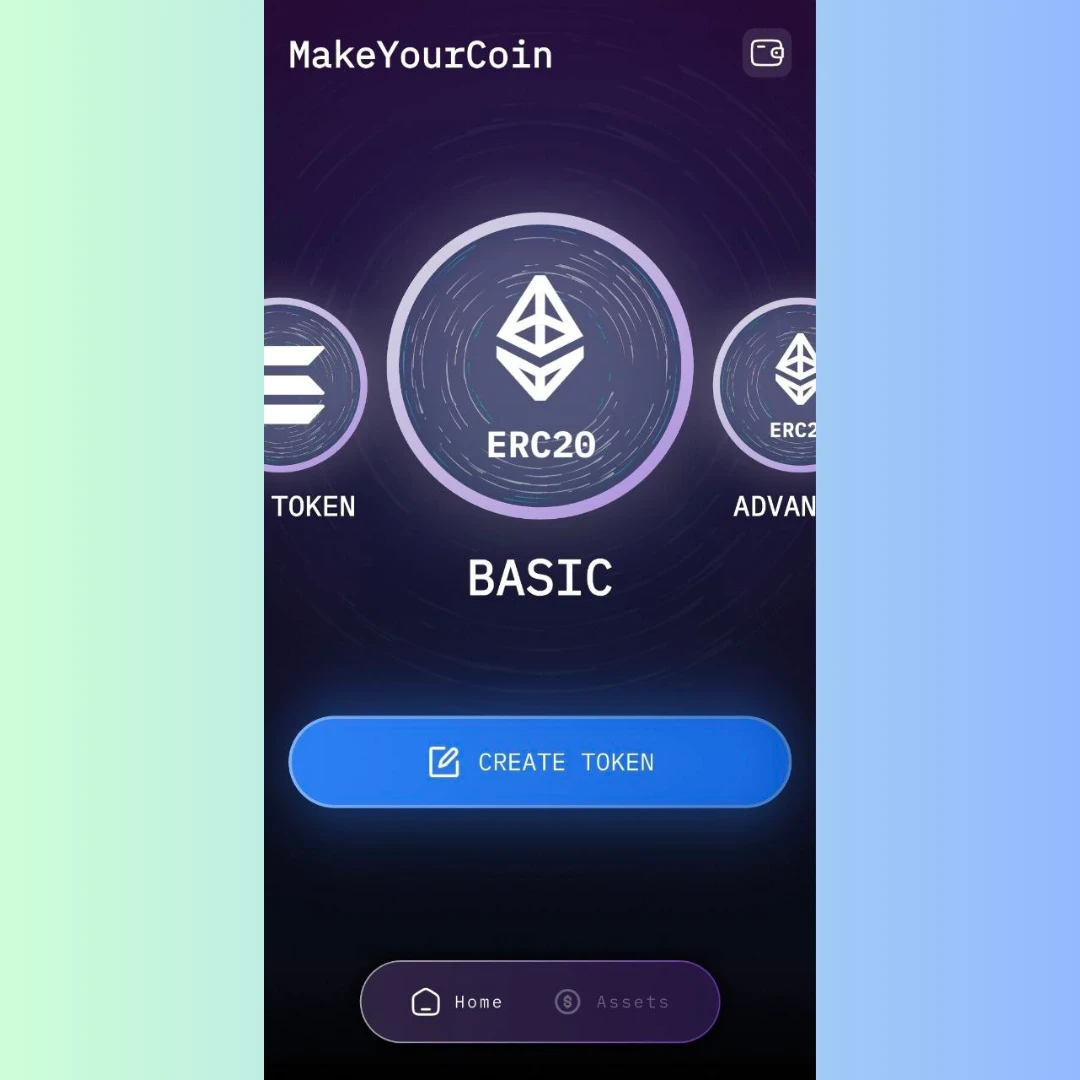
- Choose "Create Token": Find the "Basic ERC20 Token" creation section and click "Create Token."
- Fill in the Token Details: This is where you get to personalize your token.
- Token Name: Give your token a catchy name (e.g., "CosmicCoin").
- Token Symbol: Choose a short, memorable symbol (e.g., "COS").
- Decimals: Decide how divisible your token should be. 18 decimals is the standard, allowing for tiny fractions.
- Initial Supply: Set the total number of tokens you want to create. Think carefully about this!
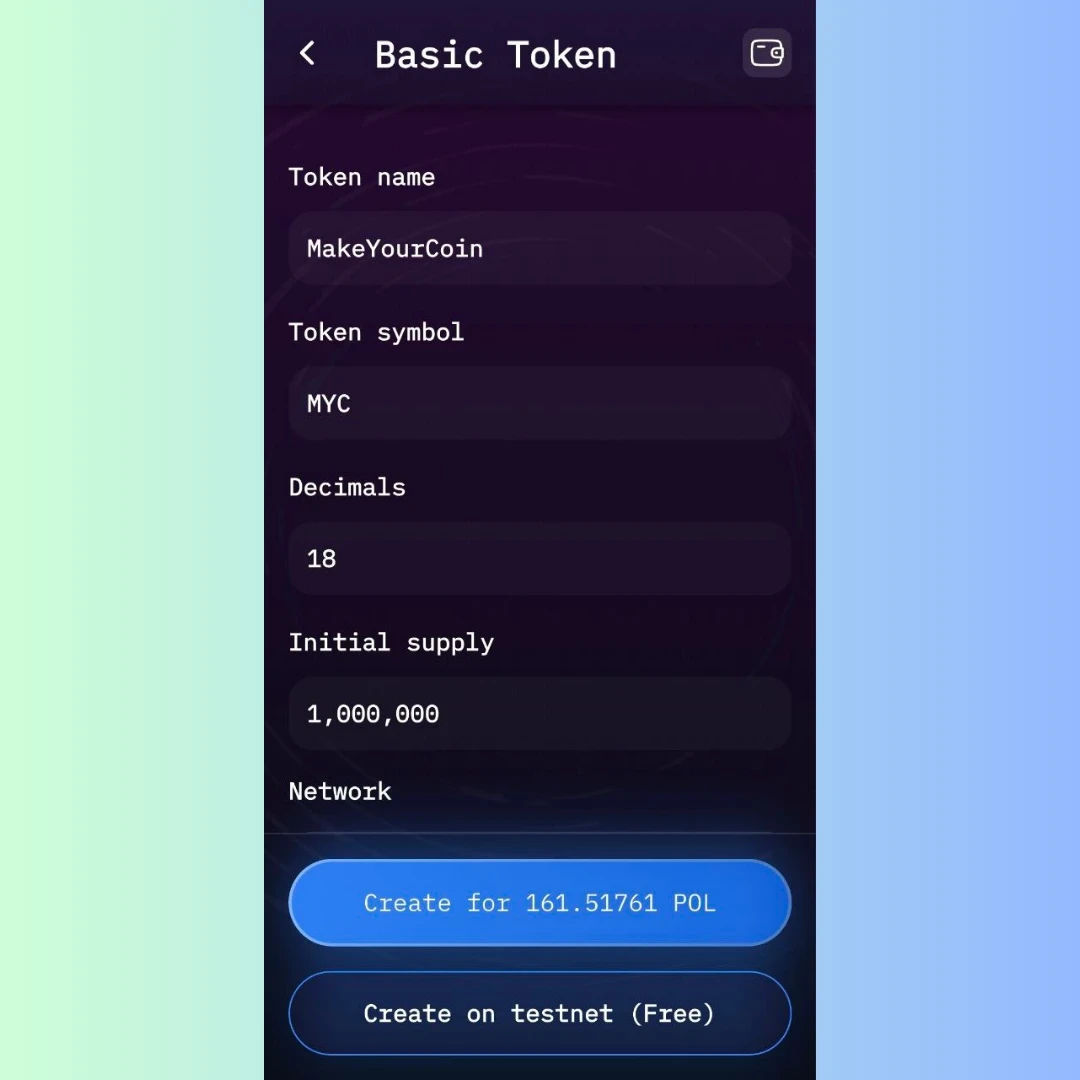
- Network: MakeYourCoin is connected with the Polygon network. To connect to Polygon, make sure your wallet is configured to use the Polygon Mainnet. You can easily add it through Chainlist.org, or by manually adding the network details in your wallet settings. This allows for lower gas fees and faster transactions.
- (Optional) Token Logo/Icon: Add a cool image to make your token stand out!
- Review and Confirm: Double-check everything! Make sure the name, symbol, supply, and decimals are all correct. Once you're happy, hit "Create."
- Transaction Fee (Gas): Creating a token costs a bit of gas (paid in MATIC on the Polygon network). MakeYourCoin will show you the estimated fee. Make sure you have enough MATIC in your wallet.
- Token Deployment: After confirming and paying the gas fee, MakeYourCoin will deploy your token in just a few seconds.
- View Your Token: You can see your new token by clicking "Assets" in the app, and you'll also see it in your connected wallet.
A Few Things to Keep in Mind
- Gas Fees: Gas fees can change, so keep an eye on them.
- Tokenomics: Plan your token distribution and use cases carefully. This will affect its value.
- Security: Always keep your wallet secure and watch out for scams.
Beyond the Basics: Explore More Features!
MakeYourCoin isn't just about basic token creation. You can also explore features like token burning, minting, creating OpenBook markets, liquidity pools, and more! Dive in and see what's possible.
Wrapping Up
MakeYourCoin really does make creating ERC20 tokens a breeze. By following these steps, you can bring your own crypto project to life without needing to be a coding whiz. Just remember to do your homework, understand the basics of blockchain, and plan your tokenomics. Now, go out there and create something amazing!


