How Micro-Tokens Are Becoming the New Digital Identity
Published: May 13, 2025, Author: MakeYourCoin
Controlling token access is a powerful feature on Solana — whether you’re managing vesting schedules, preventing bad actors from trading, or simply pausing token use for specific wallets. With MakeYourCoin, freezing and unfreezing SPL token accounts is straightforward — and best of all, completely free (0 SOL required).
Here’s how to do it in just a few steps.
Before you get started, make sure:
Open the app and head to the home screen. If you haven’t downloaded it yet, grab it from the official website or your app store.
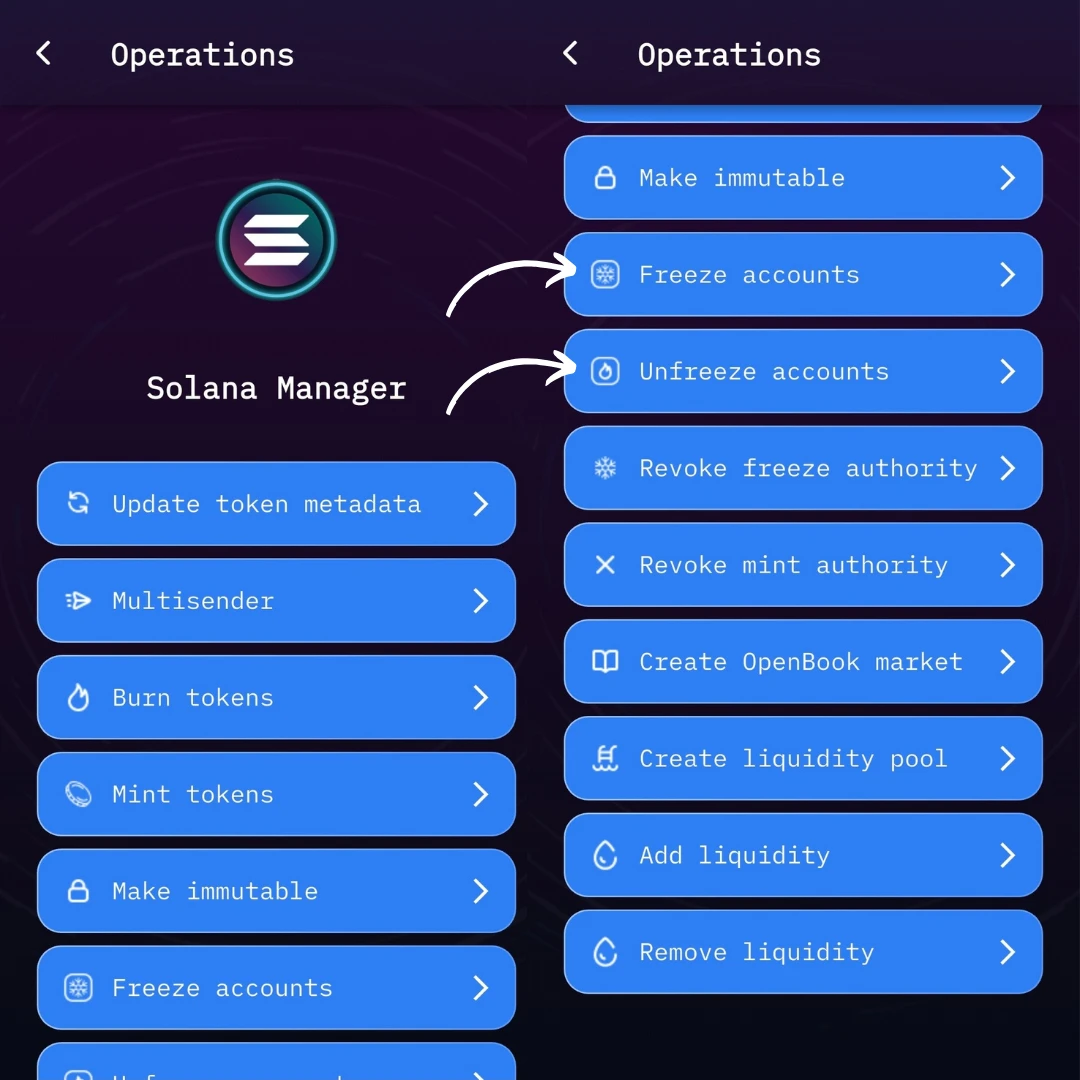
From the homepage, tap on Solana Manager — your main hub for everything related to Solana token control.
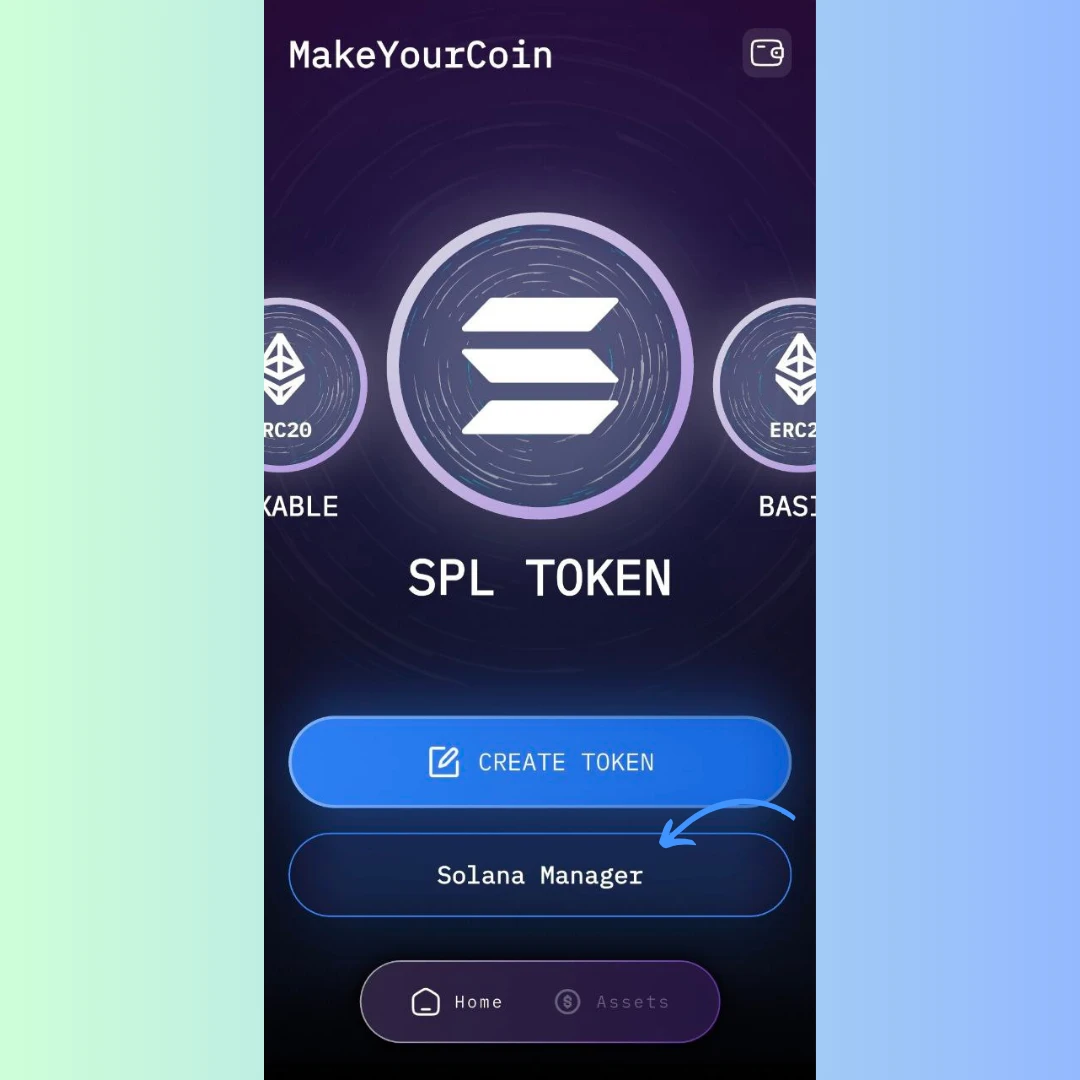
Depending on what you want to do:
Both options follow the same process.
You’ll see a short form with three inputs:
.csv file that contains the list of wallet addresses you want to freeze or unfreeze.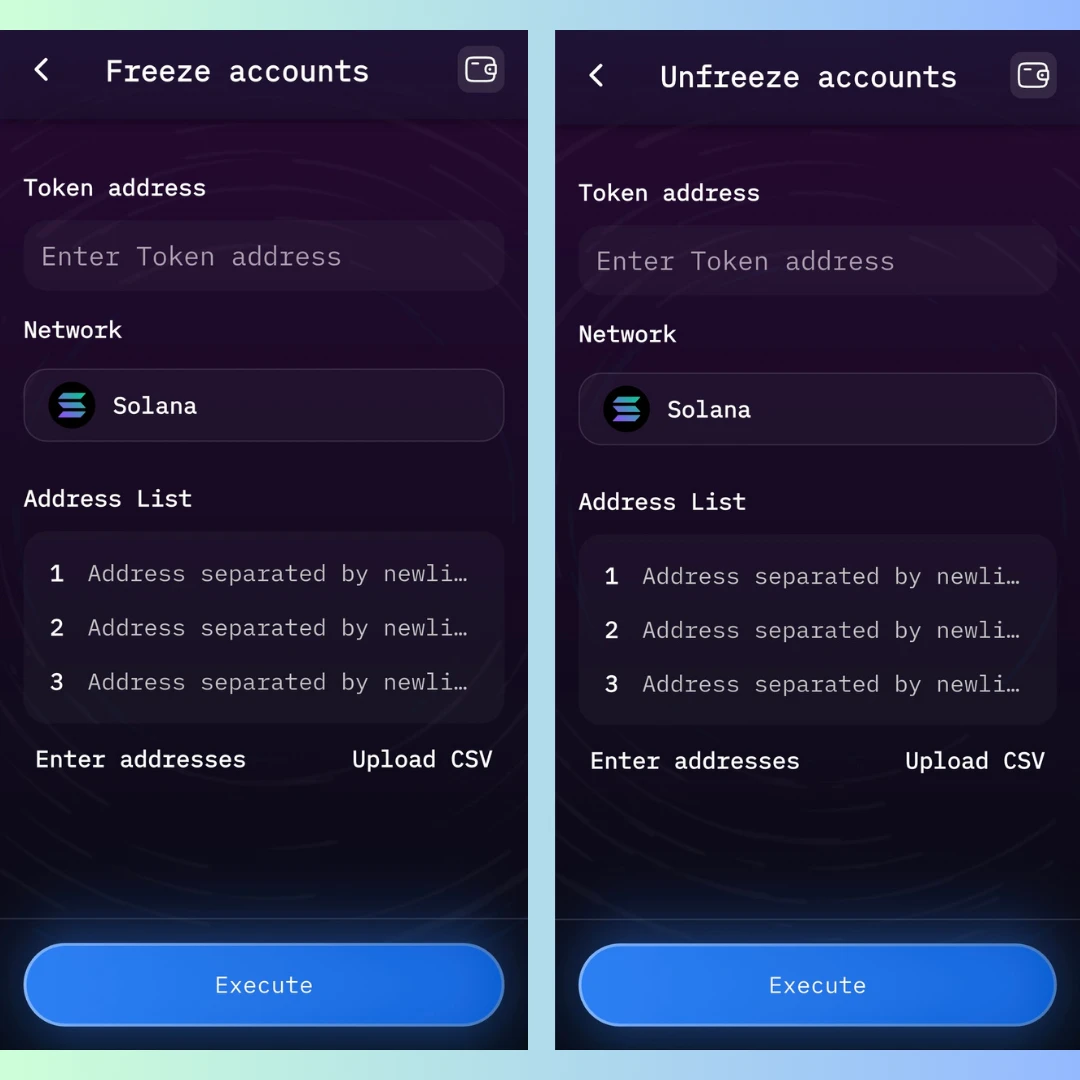
Your CSV file should include a single column with wallet addresses, one per line. No headers needed.
Ensure your wallet is connected. Use Phantom or Solflare, and confirm it has the proper freeze authority for the token.
Click Execute and approve the action in your wallet. Unlike other token actions, freezing and unfreezing is free — no SOL fee is required.
Freezing token accounts can be useful for:
Unfreezing allows those wallets to start using, transferring, or trading the token again — perfect for scheduled unlocks, resolving flagged accounts, or lifting temporary restrictions.
Take full control of your SPL token distribution — with zero coding, zero gas fees, and zero friction.