Rug Pulls: Protecting Yourself in the Wild West of Token Creation
Published: May 13, 2025, Author: MakeYourCoin
Launching a crypto token is just the beginning — the real power comes when you mint your supply. Whether you're setting up your project's economy or distributing initial tokens, the MakeYourCoin app makes minting on Solana incredibly simple.
In this quick guide, we’ll show you how to mint new tokens directly from the app — no coding, no confusion, just a few clicks.
Start by downloading the MakeYourCoin app from the official source or app store.
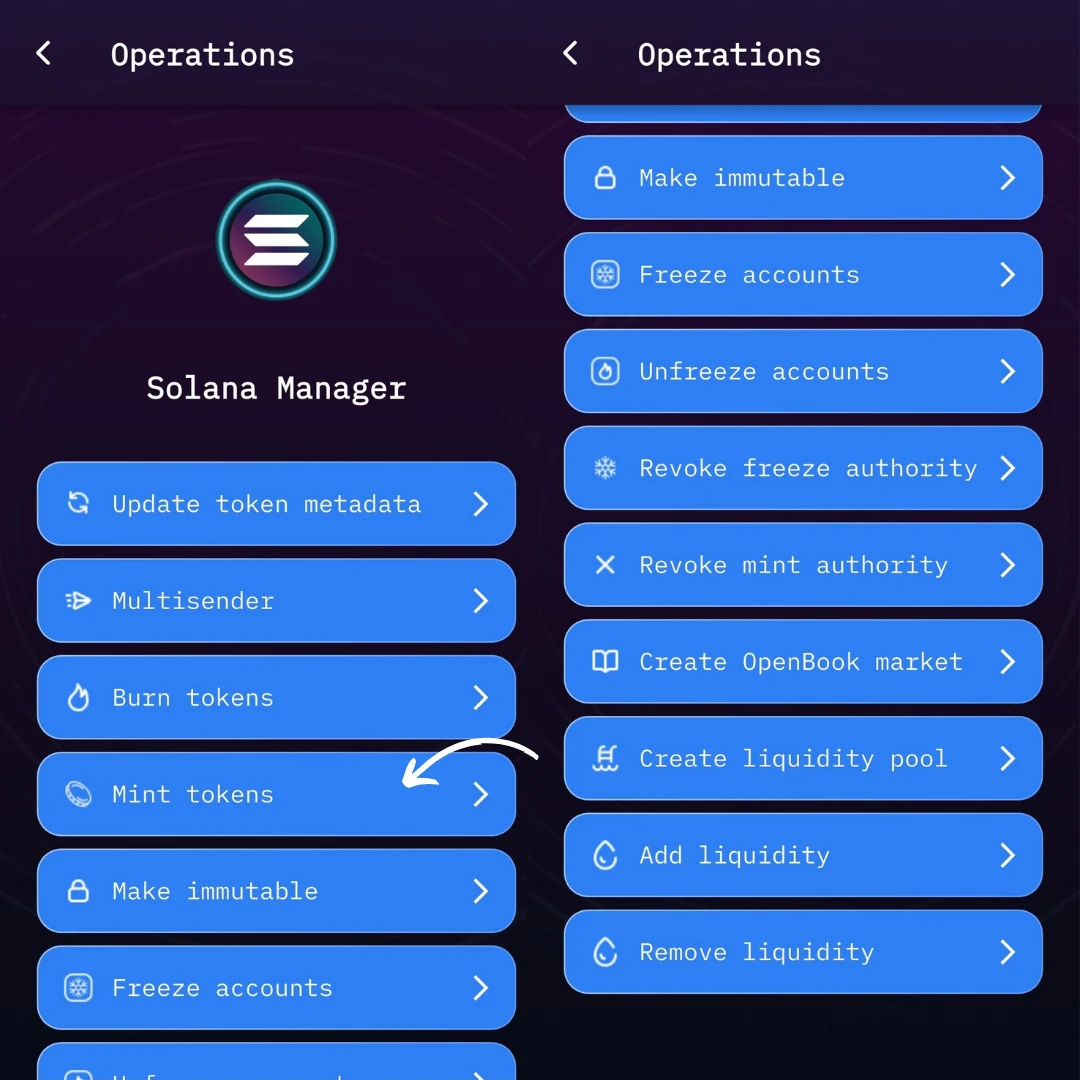
Once installed, launch the app and head to the main screen.From the homepage, tap on the Solana Manager section. This is your control center for all Solana-related token actions, including minting, freezing, and managing token settings.
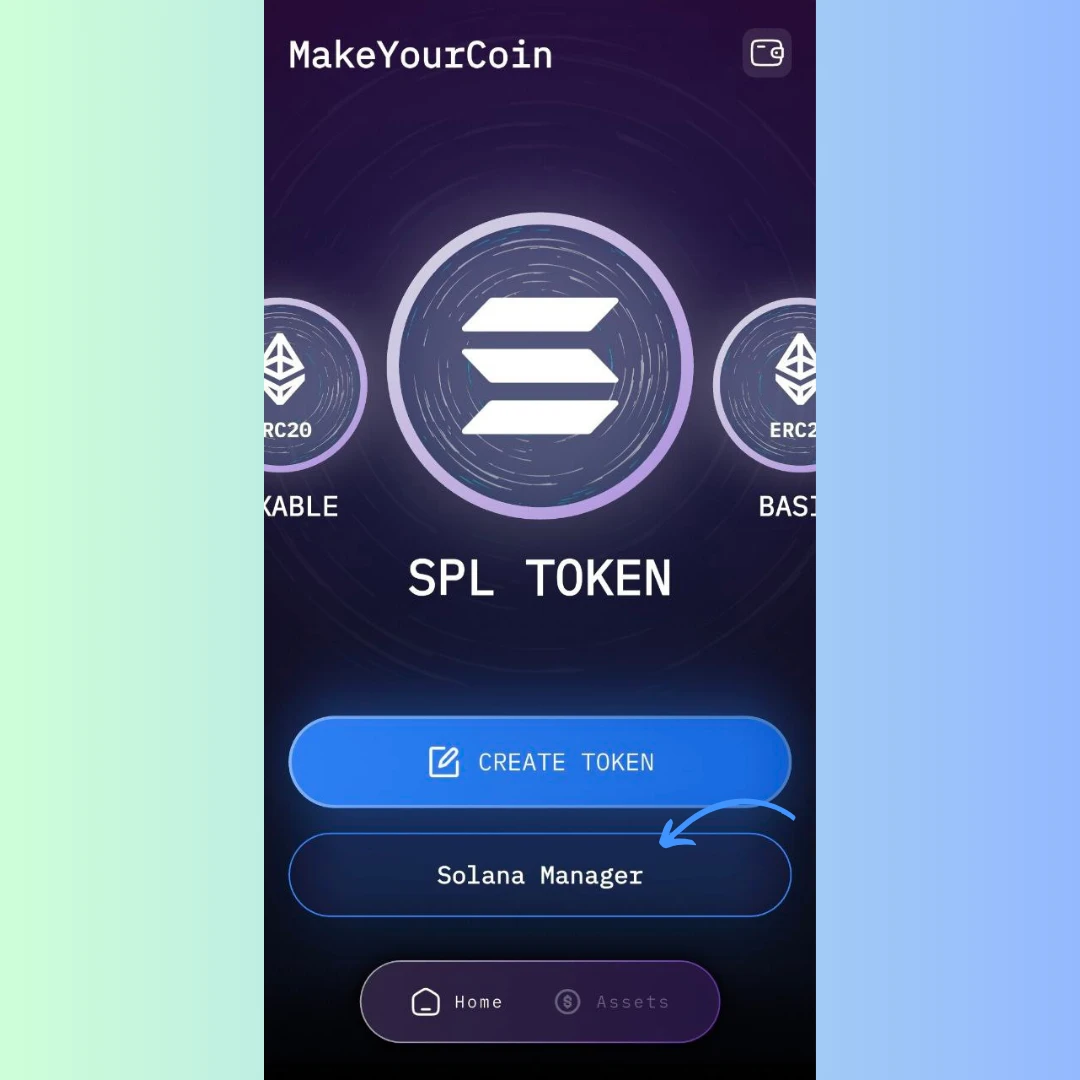
Inside Solana Manager, locate and click the Mint Tokens button. This is where you’ll enter the details for the new tokens you want to generate.
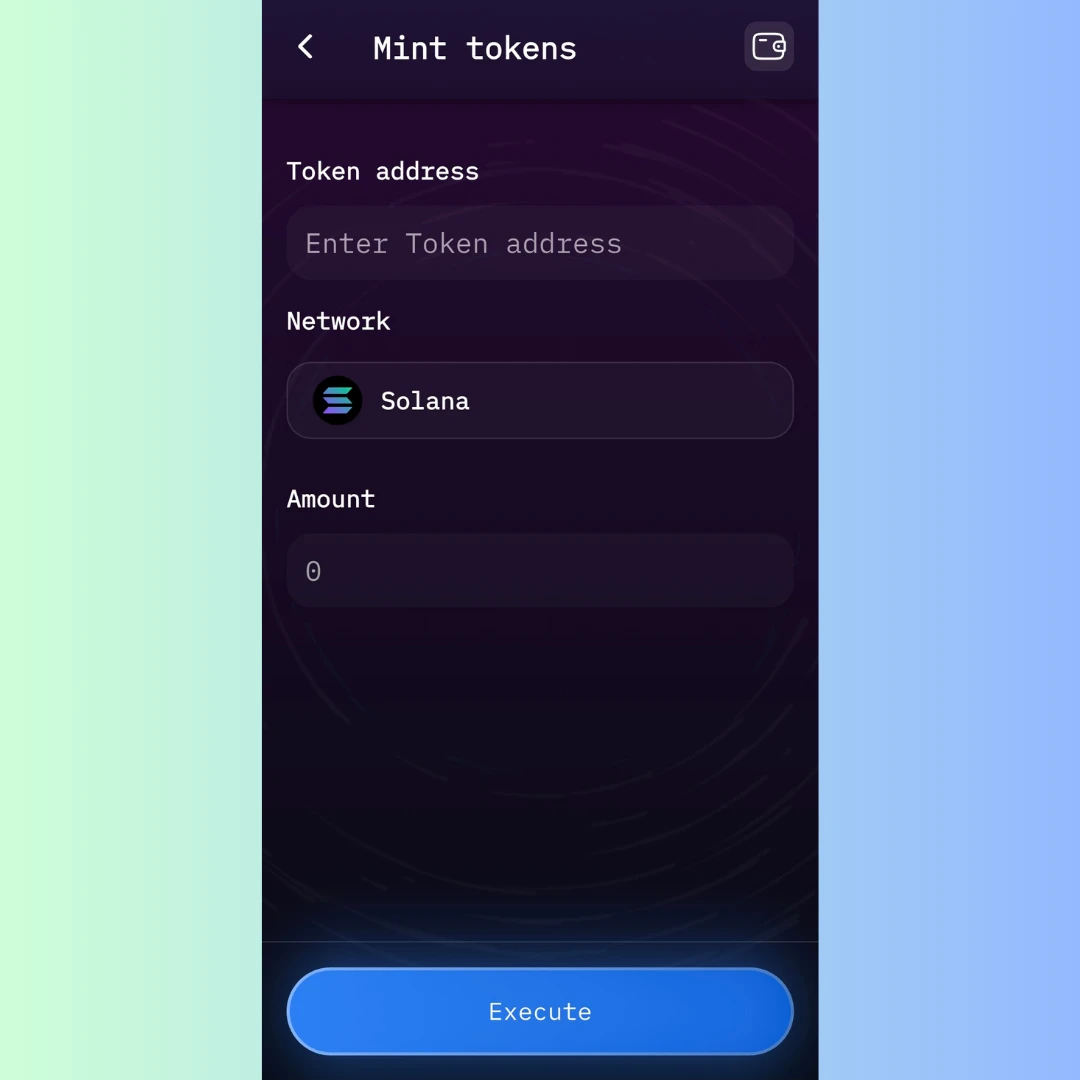
You’ll now see a short form with three simple inputs:
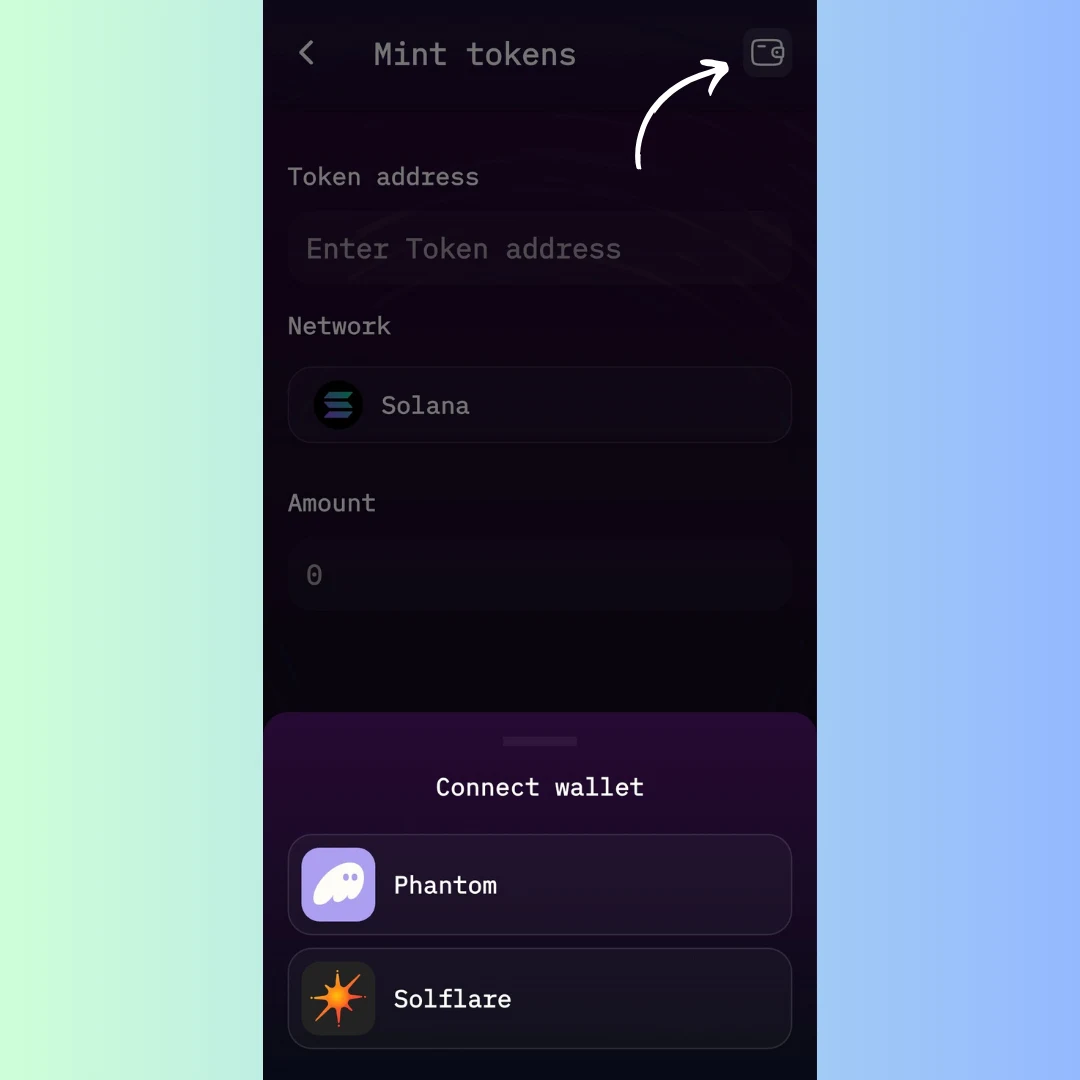
Make sure your wallet is connected. The app supports both Phantom and Solflare. You’ll need to sign the transaction with the wallet that holds mint authority for your token.
Once all fields are filled out and your wallet is connected, click Execute. You’ll be prompted to approve a transaction in your wallet for just 0.1 SOL.
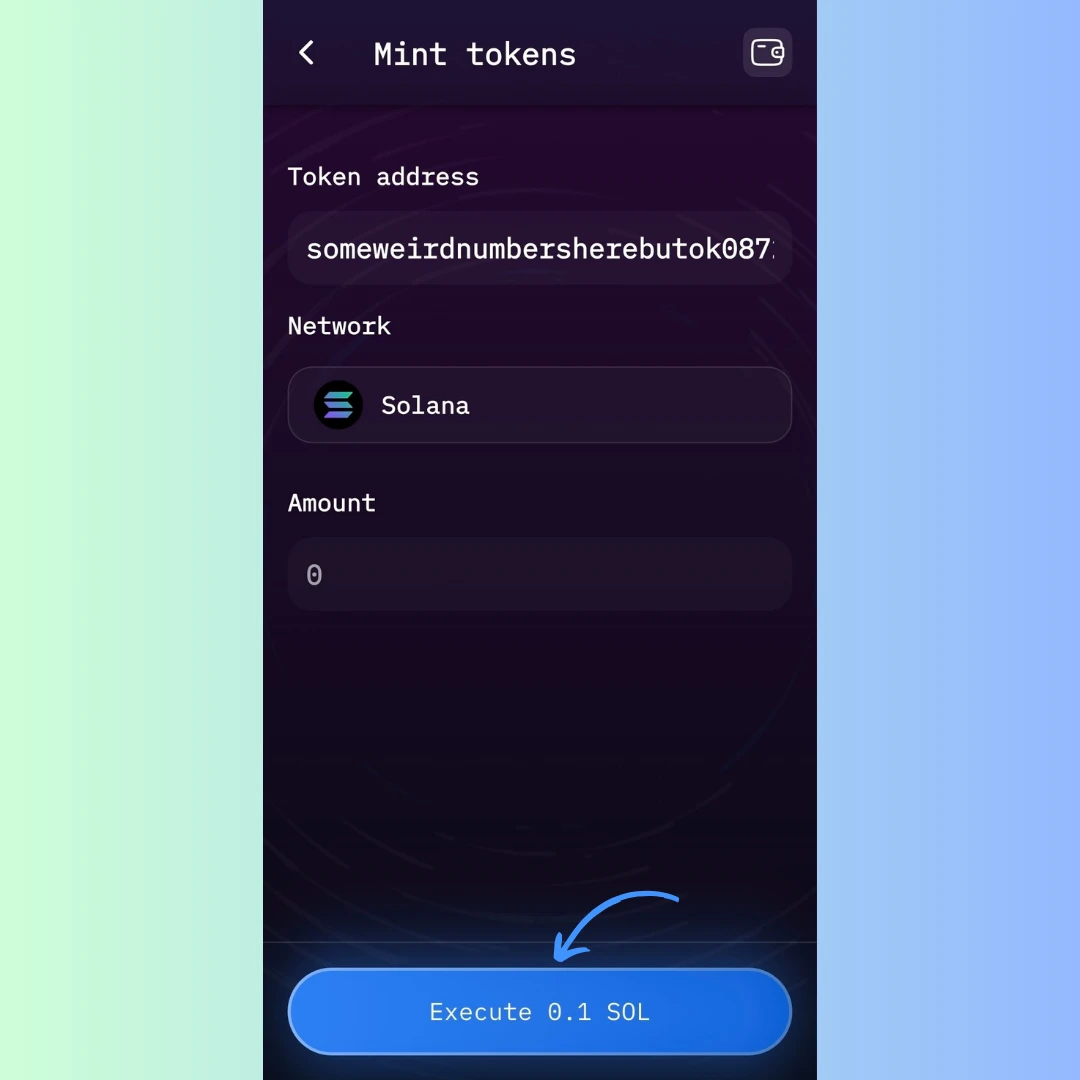
Approve it — and that’s it! Your new tokens are now minted and added to your designated address.
This process takes less than a minute and gives you complete control over your token’s supply. Whether you're minting for fundraising, community rewards, or governance purposes, MakeYourCoin makes it seamless.
Only wallets with mint authority can create new tokens. Once you’re ready to finalize your supply, consider revoking that authority to prevent future changes, and to build trust.
Now that you know how easy it is, why not try minting your first batch of tokens on MakeYourCoin today?