Create Your First ERC-20 Token in 60 seconds (No Coding Needed!)
Published: May 13, 2025, Author: MakeYourCoin
Maybe you minted too many tokens. Maybe you're managing supply. Or maybe you're just going full degen and want to add some deflationary spice to your project.
Whatever the reason — burning tokens is part of being a responsible token creator, and it’s super easy to do with the MakeYourCoin app.
Let’s walk through it.
Before you can burn tokens, you need to actually have some tokens to burn.
If you don’t already have your own SPL token on Solana, no worries — you can create one in just a few minutes right inside the MakeYourCoin app. Just open the app, go to Create Token, and follow the steps.
Then come back here once that’s done.
If you haven’t already, download the app and open it up. Get yourself to the home screen.
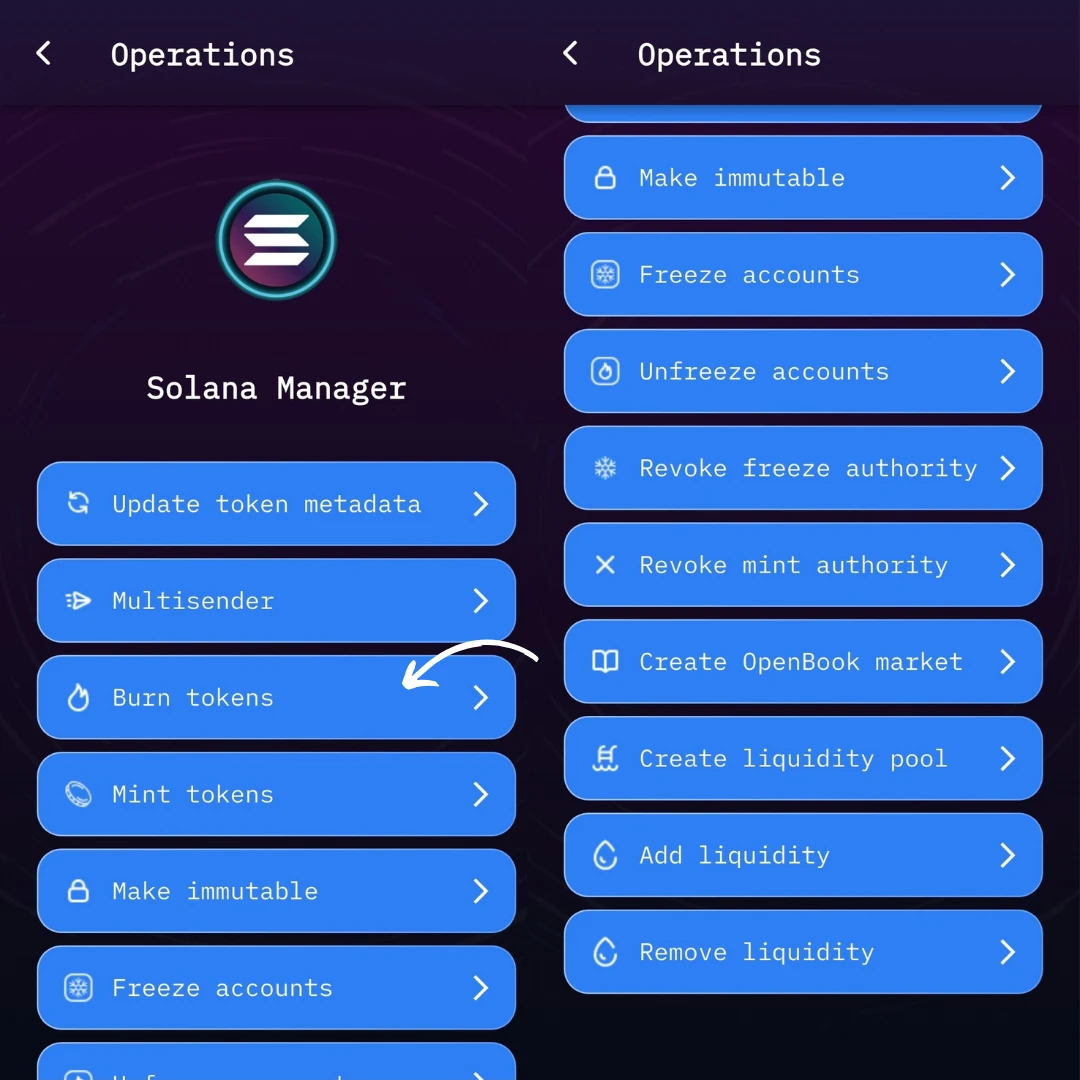
Tap on the Solana Manager option. This is where you’ll find all the tools you need to manage your token — minting, freezing, making it immutable, and yep — burning.
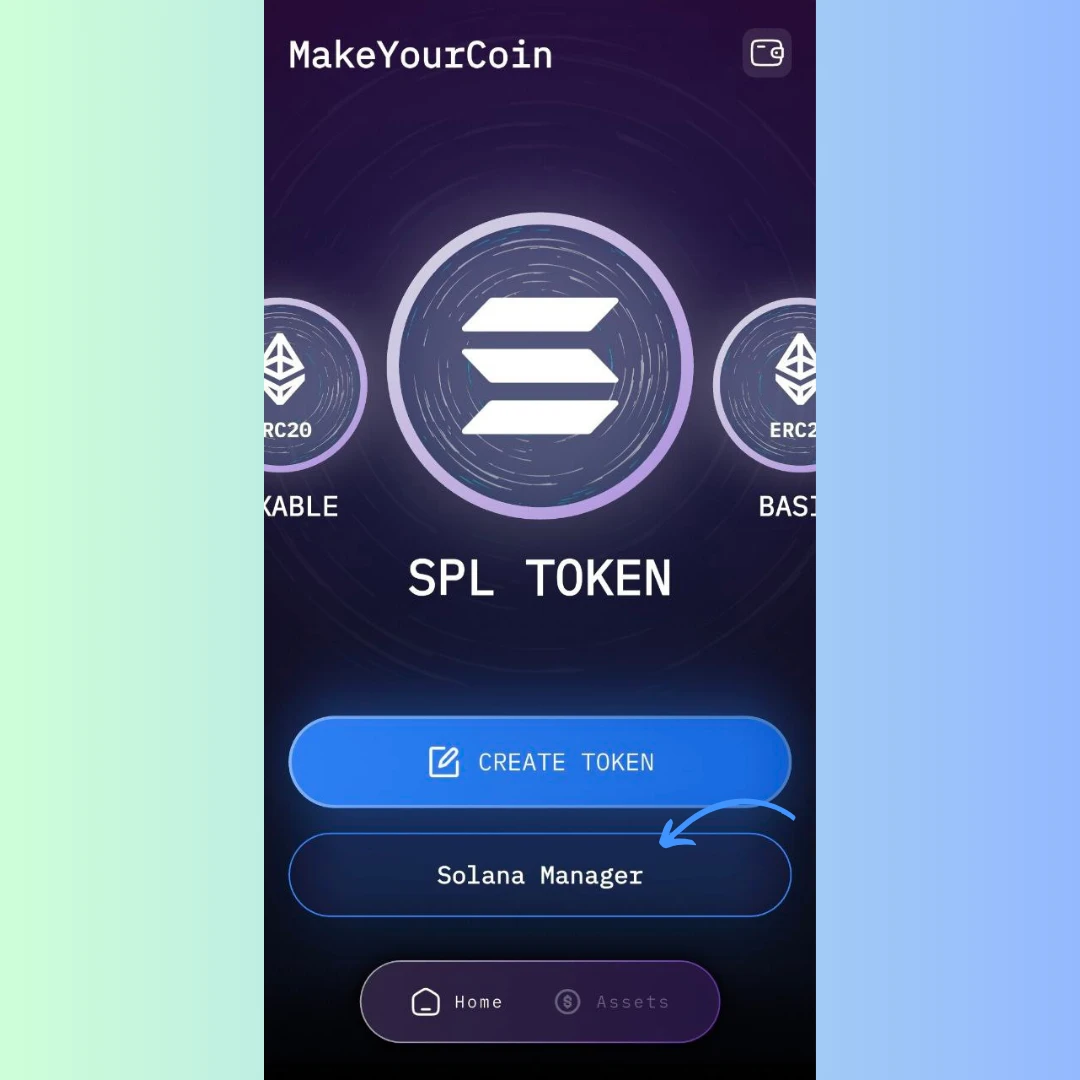
Look for the Burn Tokens button and give it a tap. You’ll be taken to a super simple form.
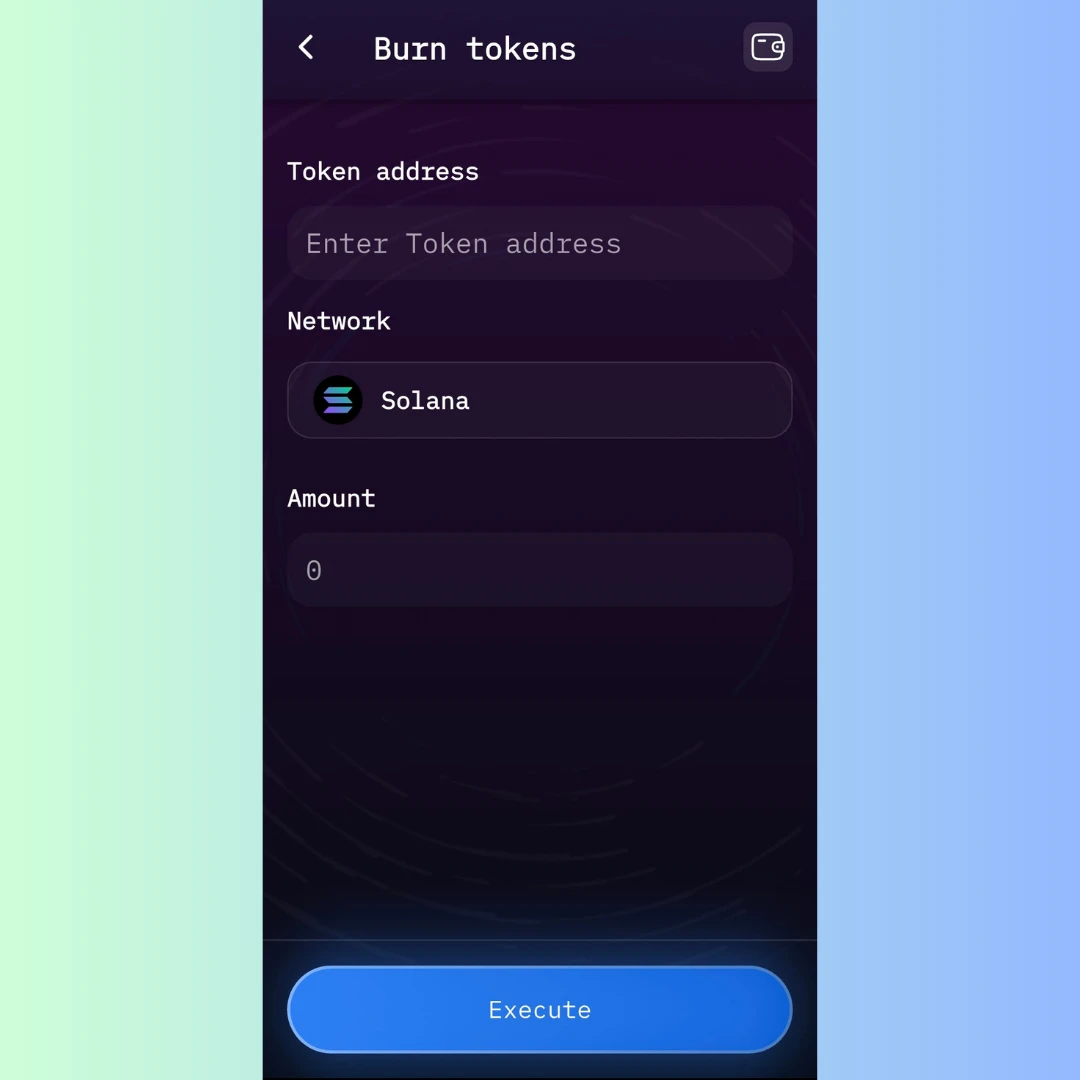
You’ll see three fields:
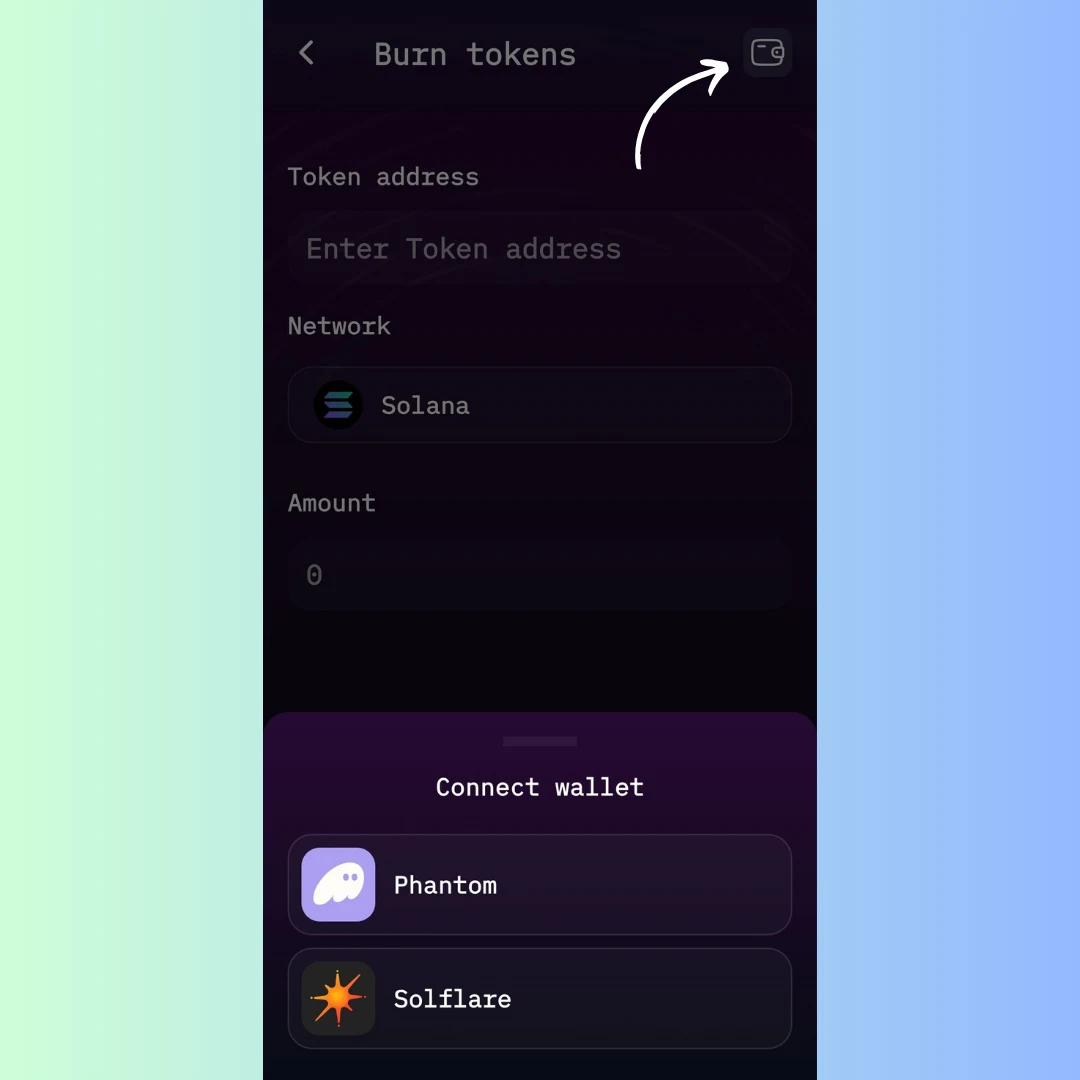
Before you burn anything, you need to connect your wallet. Use Phantom or Solflare, whichever holds the tokens you want to burn. You’ll also need to have burn authority over the token.
Once you’re set, hit that Execute button. You’ll be asked to confirm a transaction in your wallet — the burn costs just 0.1 SOL. Approve the transaction and boom, your tokens are gone forever.
Whatever your reason, MakeYourCoin makes it ridiculously easy to take full control of your tokenomics.
Now go ahead — open up the app and take control of your token supply like a pro. If you need help with token creation, minting, or making your token immutable, we've got guides for those too.