How to Multisend SPL Tokens on MakeYourCoin
Published: May 13, 2025, Author: MakeYourCoin
Whether you're doing an airdrop, paying out community rewards, or distributing tokens to team members — sending tokens one by one is a pain.
Thankfully, the Multisend feature in the MakeYourCoin app makes it incredibly easy to send SPL tokens to dozens (or hundreds) of wallets — all in a single transaction.
Here’s how to do it in a few quick steps.
What You’ll Need
- An existing SPL token (you can create one inside MakeYourCoin if needed)
- A connected Phantom or Solflare wallet with enough token balance and transaction fees
- A CSV file listing the wallet addresses and how many tokens each should receive
Step-by-Step: Multisend Tokens
1. Open the MakeYourCoin App
Launch the app on your device. If you haven’t downloaded it yet, grab it from the official site or your app store of choice.
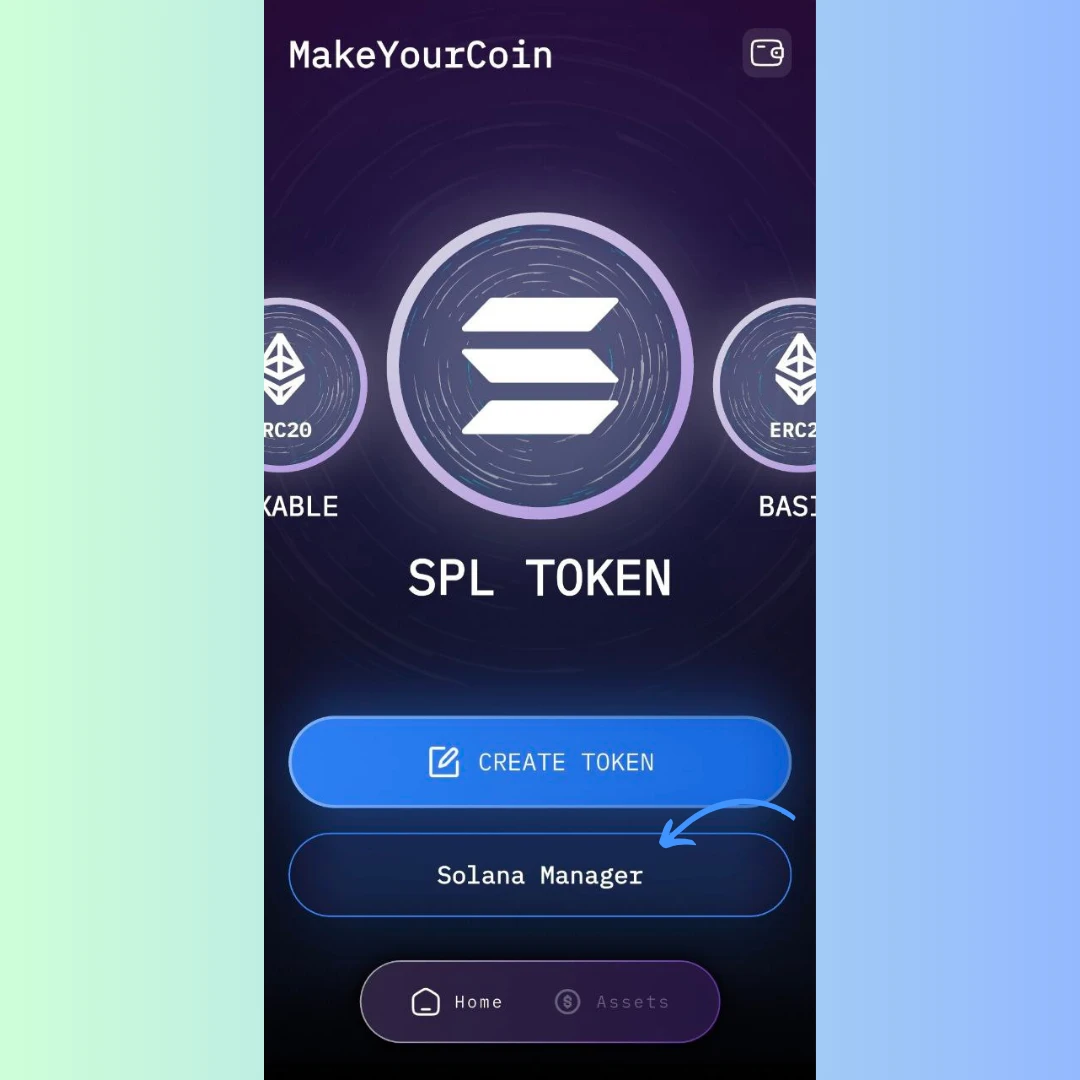
2. Navigate to “Solana Manager”
From the homepage, tap on Solana Manager — the section that gives you full control over your SPL tokens.
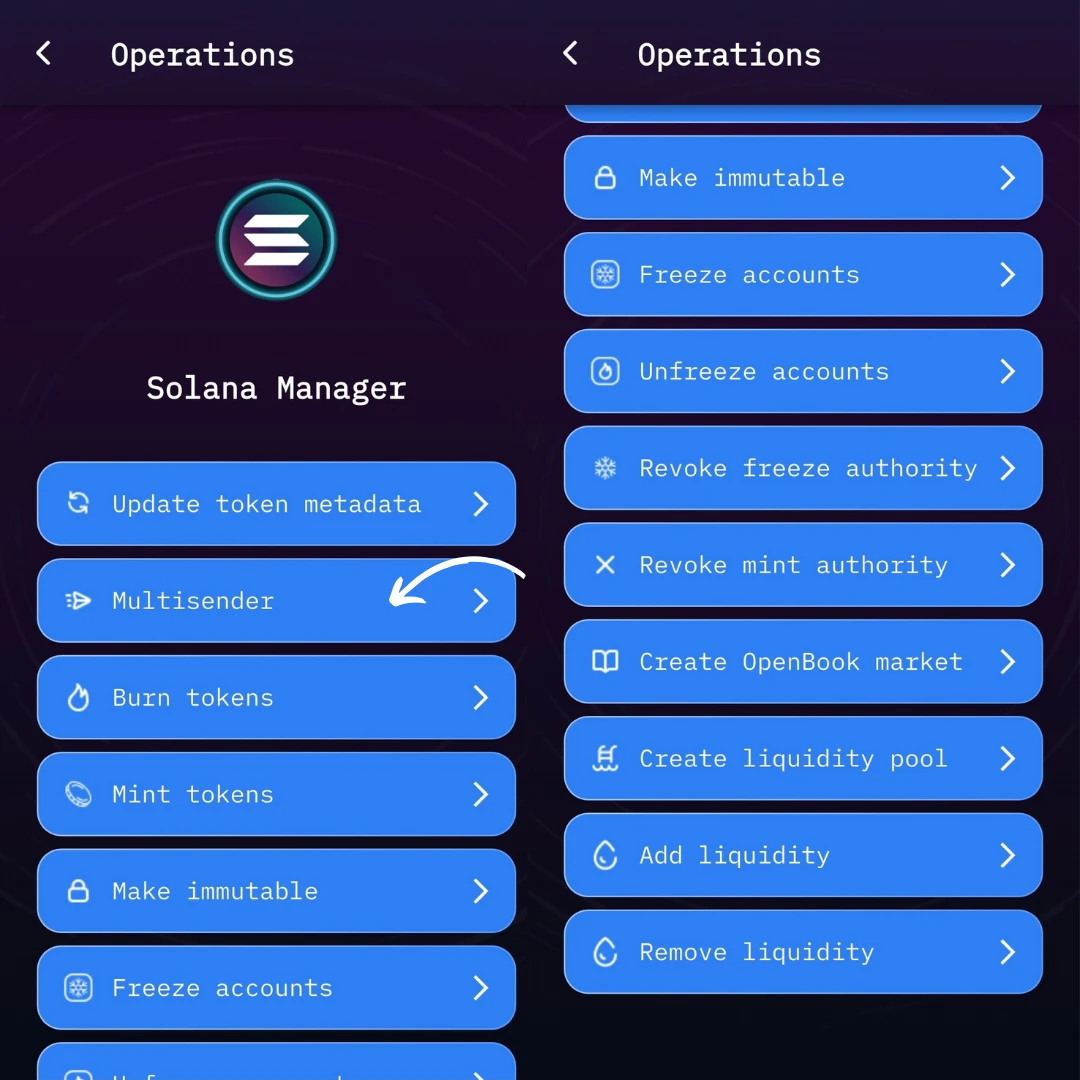
3. Click on “Multisend”
Inside Solana Manager, find the Multisend feature and click on it. This will open the tool you need for batch sending tokens.
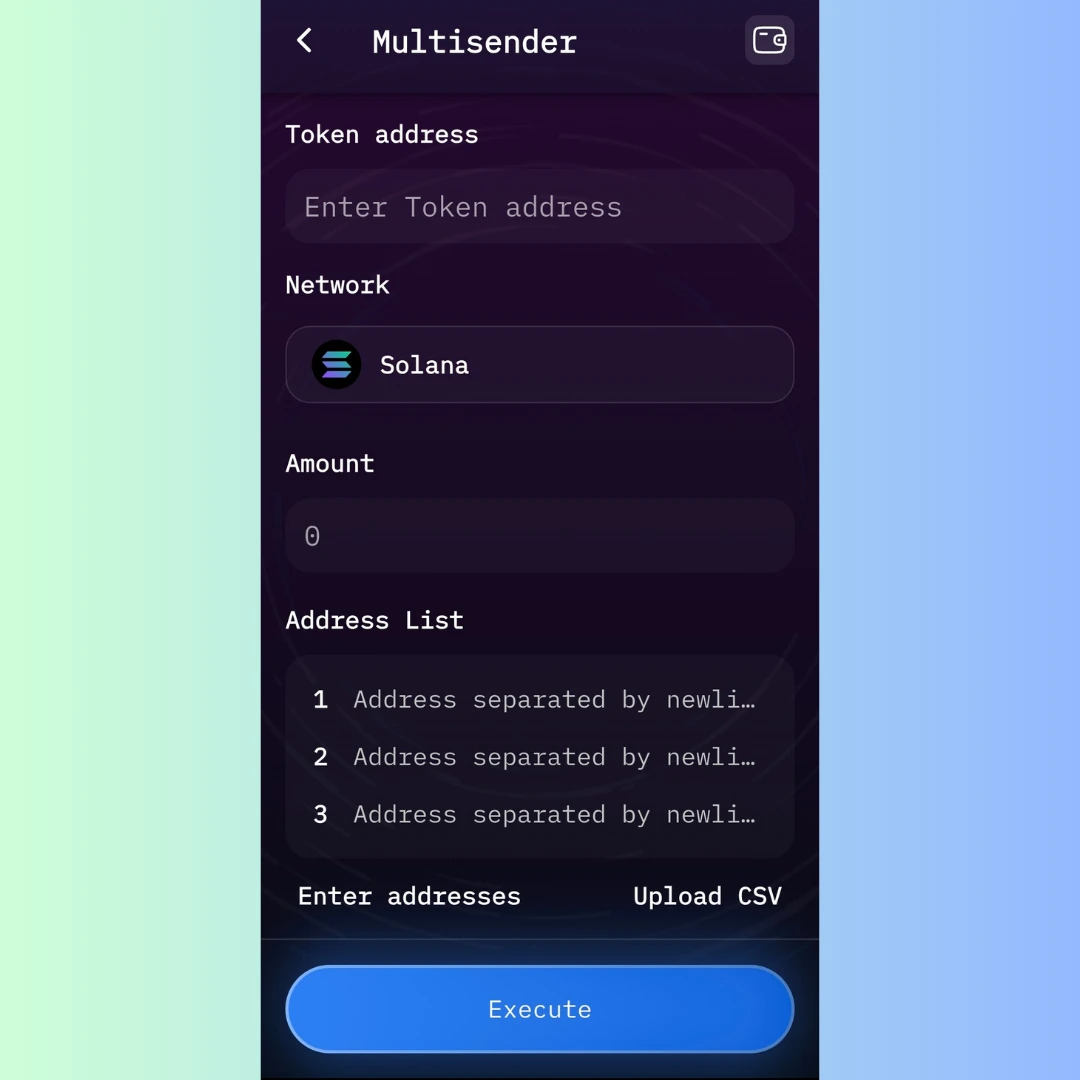
4. Fill Out the Multisend Form
You’ll be prompted to provide three key inputs:
- Token Address: Paste in the address of the SPL token you want to distribute.
- Network: Solana Mainnet is the choice here.
- CSV Upload: Upload a
.csvfile with the list of addresses and amounts.
CSV Format Tip:
Your file should include two columns:
wallet_address, amount
7fD...A1C, 1000
3xP...f72, 500
G2h...t9R, 250
No headers needed.
5. Connect Your Wallet
Use Phantom or Solflare to connect. The wallet should hold the tokens you're sending and cover any small transaction fees.
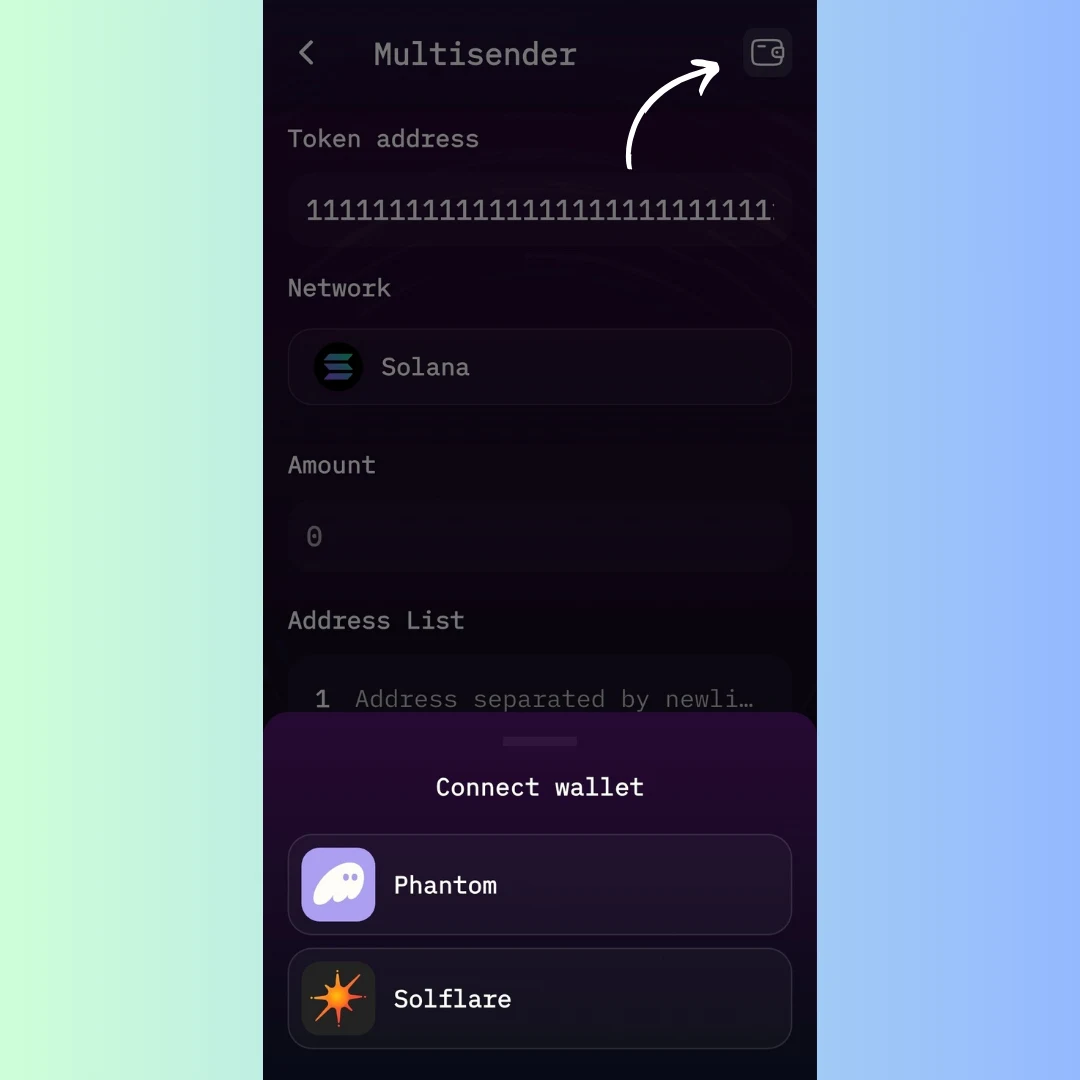
6. Click “Execute” and Send
Once everything’s ready, click Execute. You’ll confirm the transaction in your wallet, and the tokens will be sent out in one shot.
Cost: A small SOL fee will apply for network usage, depending on how many recipients are involved.
Why Use Multisend?
- Speed: Send to 10, 100, or 1,000 wallets instantly
- Accuracy: Avoid manual errors and copy/paste mistakes
- Use Cases: Airdrops, giveaways, staking rewards, team payouts, and more
Take the stress out of mass token transfers with MakeYourCoin’s powerful, easy-to-use Multisend tool.